![rently .jpg]](https://help.rentlysoft.com/hs-fs/hubfs/rently%20.jpg?height=40&name=rently%20.jpg)
To set up Stripe, you first need to create an account called Stripe:
https://help.rentlysoft.com/en/how-to-create-a-new-account-rently-centro-de-ayuda
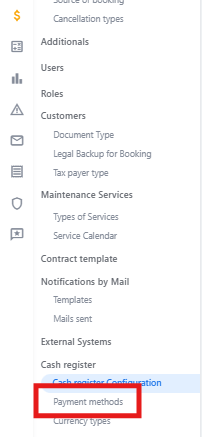
1_ Go to cash register > ‘payment methods’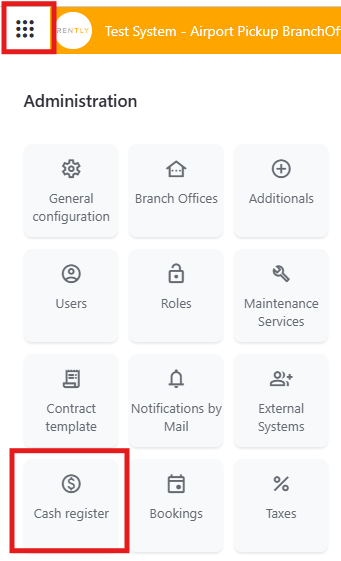
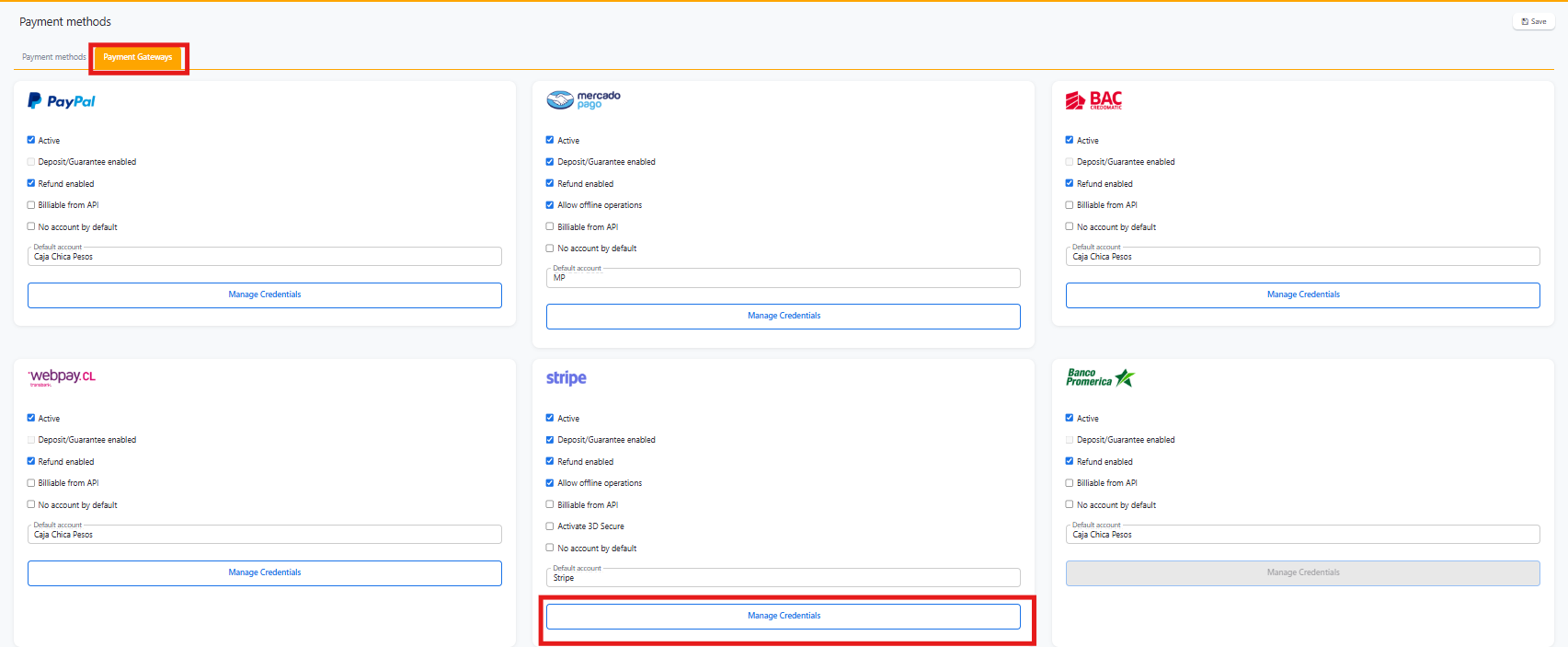
2_ Select the Stripe payment method and click on manage credentials.
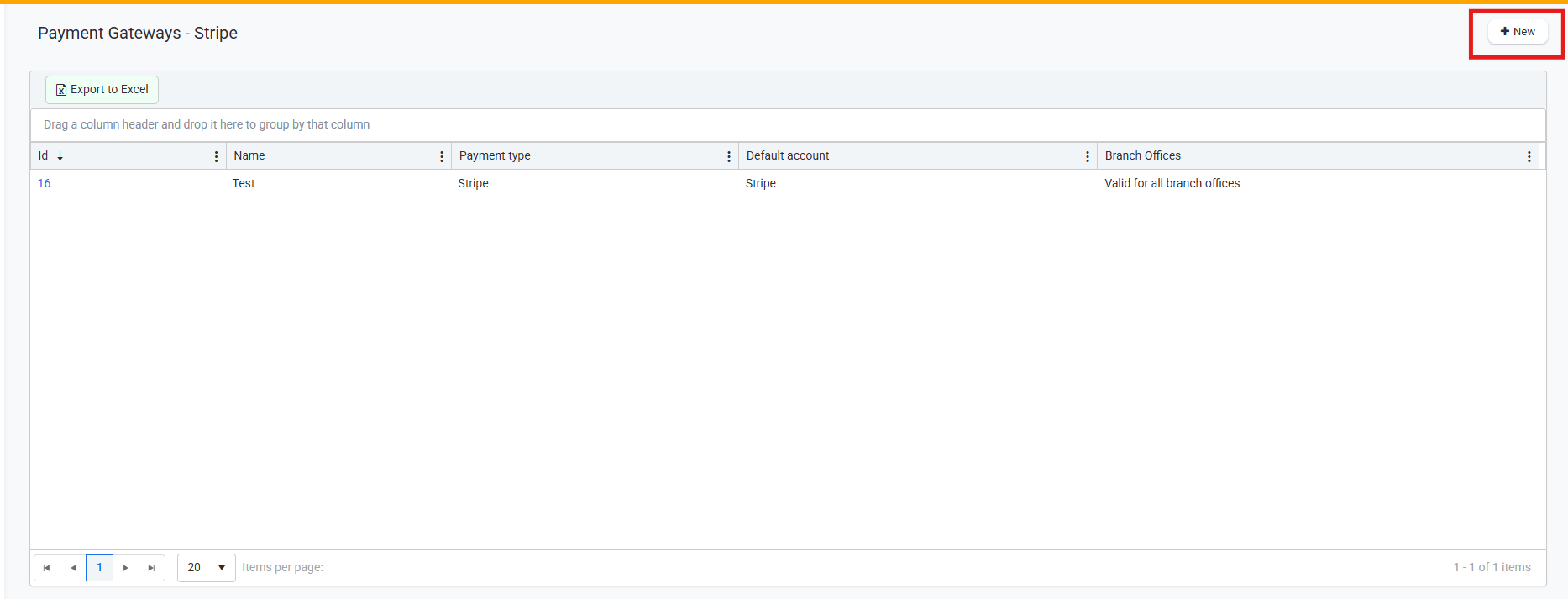
3_ Select ‘New’ and then enter Stripe.