![rently .jpg]](https://help.rentlysoft.com/hs-fs/hubfs/rently%20.jpg?height=40&name=rently%20.jpg)
-
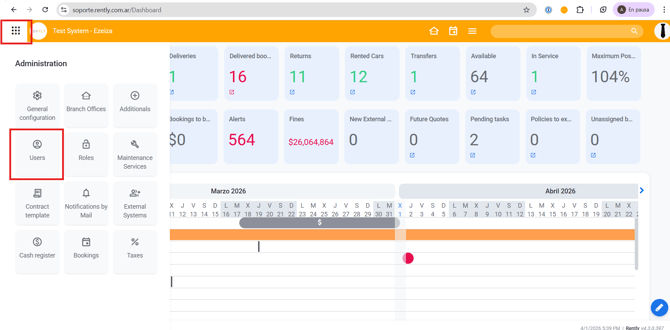
Start by entering Users
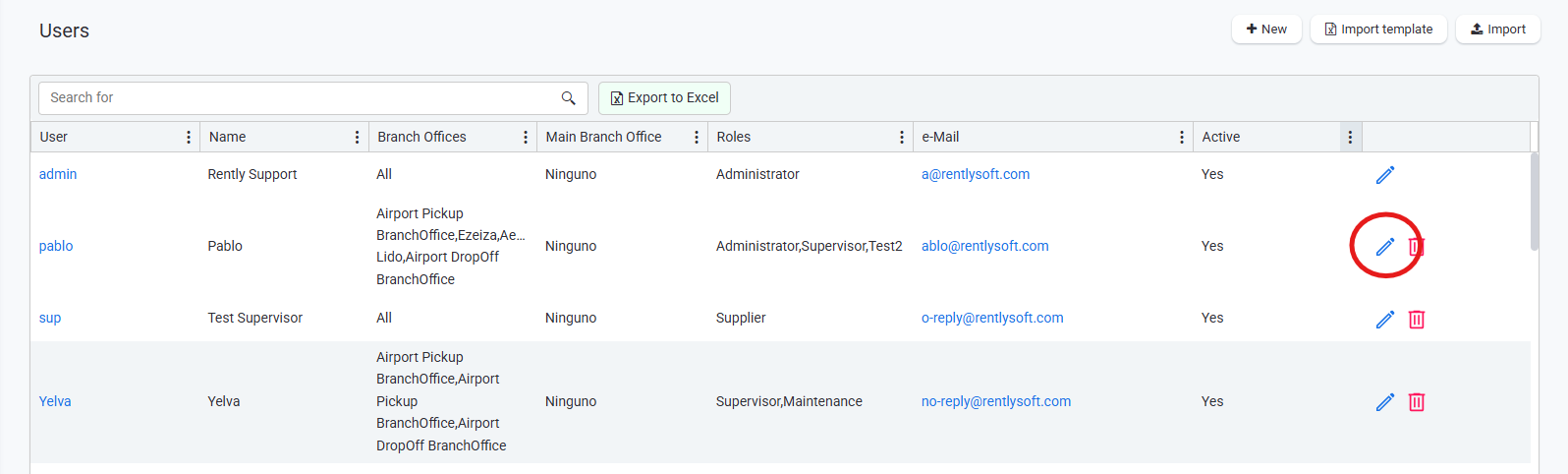
2. Click on the pencil of the user you want to change its password.
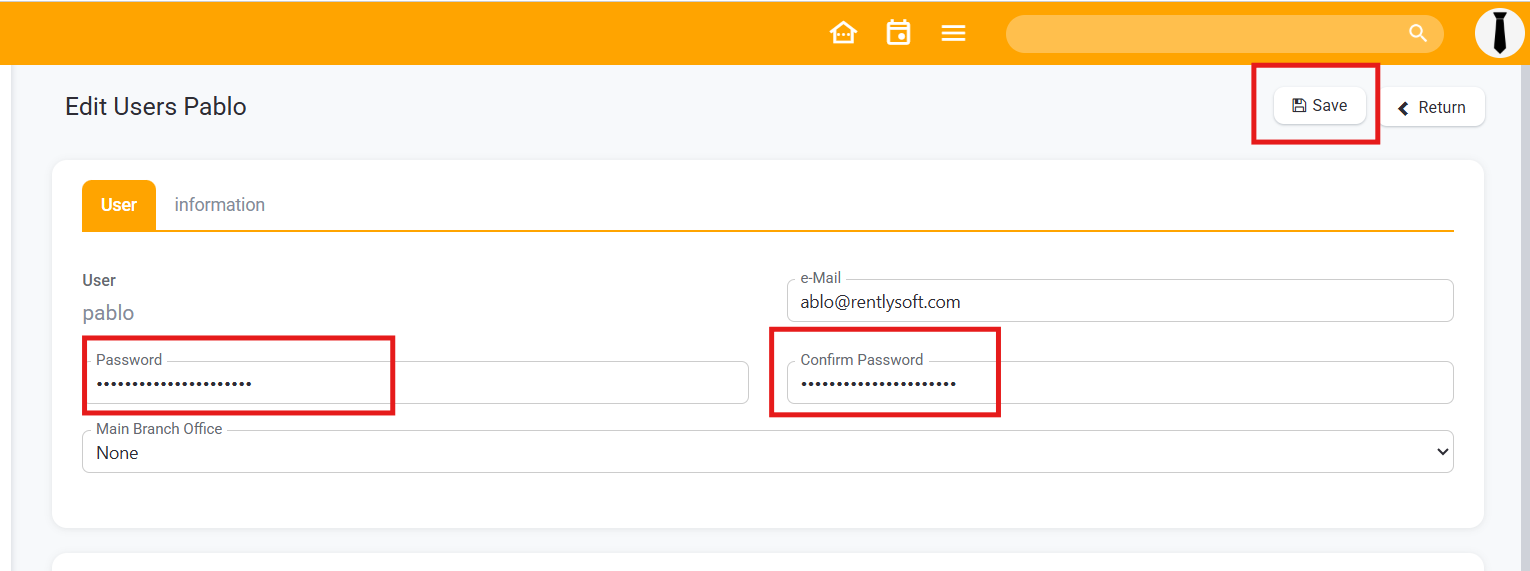
3. Write down the new password and below to confirm the password.
Remember to always save changes.
In case you do not have permission to proceed with this transaction, inform your administrator so he can enable you the "Can edit users " permission.


