![rently .jpg]](https://help.rentlysoft.com/hs-fs/hubfs/rently%20.jpg?height=40&name=rently%20.jpg)
-
Enter Branch Offices
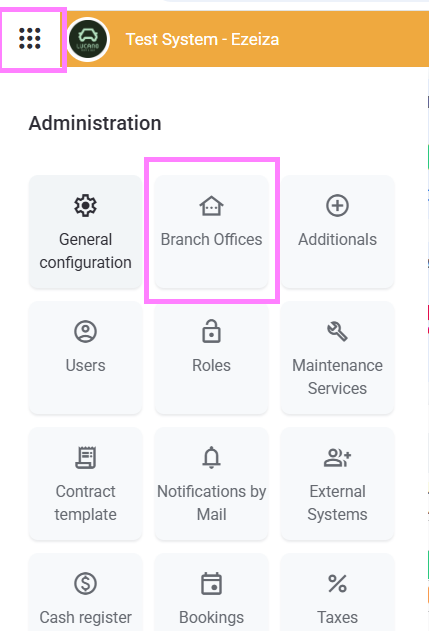
2. Select the Branch Office by clicking on the blue Name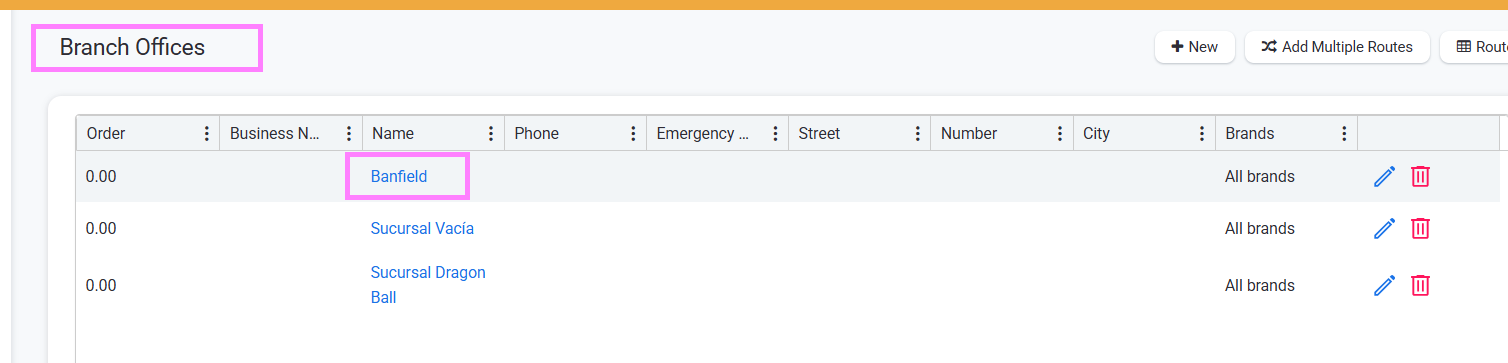
3. Once you are inside the Branch Office click on the pencil

Both will lead you to the same
4. Enter the following information and click on Save in order to proceed:
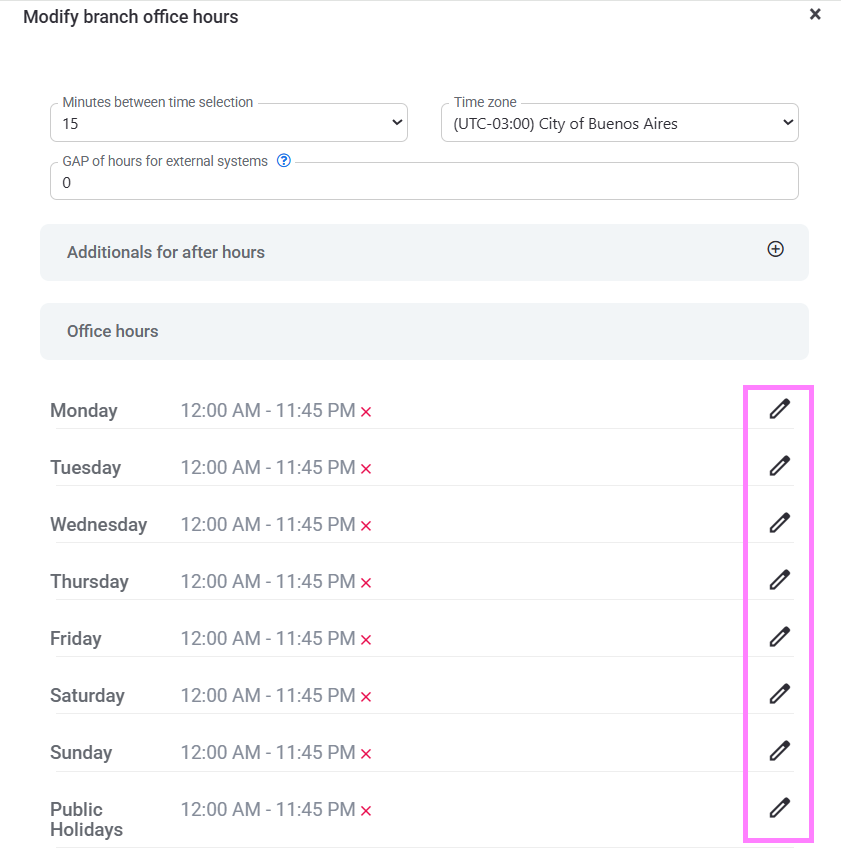
* Minutes between time selection - The time range you want to use, by minutes, by 15minutes, etc. Meaning your renting options can be - if selecting 15 minutes- 9:00, 9:30, 9:45, 10, and so on.
* Time Zone
* Gap of hours for external systems, meaning that if a customer enters the webpage and wants to rent a car now, which is the first possible hour.
5. Once you entered that information and clicked on save, pencils will show up beside each week day, click on one of them:
6. Enter the Opening and Closing time for that day. You can select "Repeat" if that information you are entering is the same for another day. For example, every weekday from 9 to 18, you should select repeat and add those days.
7. Click on save.
In case you do not have permission to proceed with this transaction, inform your administrator so he can enable you the "Can manage Business Hours" permission.