![rently .jpg]](https://help.rentlysoft.com/hs-fs/hubfs/rently%20.jpg?height=40&name=rently%20.jpg)
With BuilderDuck, you can hide discount percentages in booking prices.
To hide the discount percentage in bookings, go to Booking Configuration in the sidebar and open Results Configuration. There, expand Result Items and turn off the switch Show discount percentage chip.
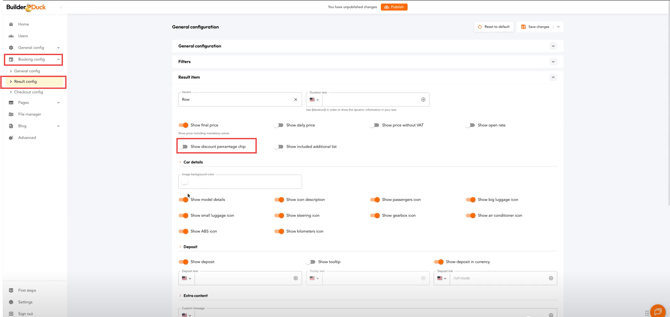
Finally, click Save Changes.