-
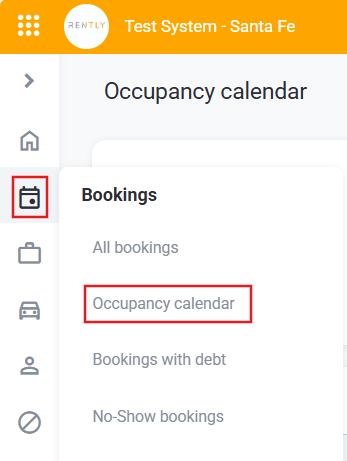
Select Bookings > Occupancy Calendar
-
Select the Categories or Models you want to visualise. In case of not completing with any, the system will show by default all Categories/Models.
-
Select the Branch Offices you want to visualise. In case of not completing with any, the system will show by default all Branch Offices
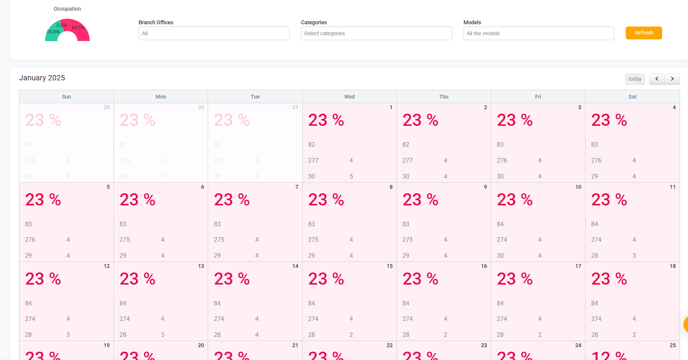
Each number indicates the amount of cars in each status. The Status are the following:
- Reserved
- Confirmed
- Free
- Rented
- In Service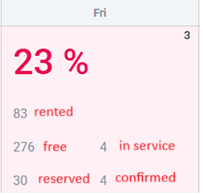
In this case:
- The place where the number 83 is, refers to the cars that are RENTED.
- The place where the number 276 is, refers to the cars that are FREE.
- The place where the number 4 (beside the number 276) is, refers to the cars that are IN SERVICE.
- The place where the number 30 is, refers to the Cars that are RESERVED.
- The place where the number 4 (beside the number 30) is, refers to the cars that are CONFIRMED.
English
![rently .jpg]](https://help.rentlysoft.com/hs-fs/hubfs/rently%20.jpg?height=40&name=rently%20.jpg)