-
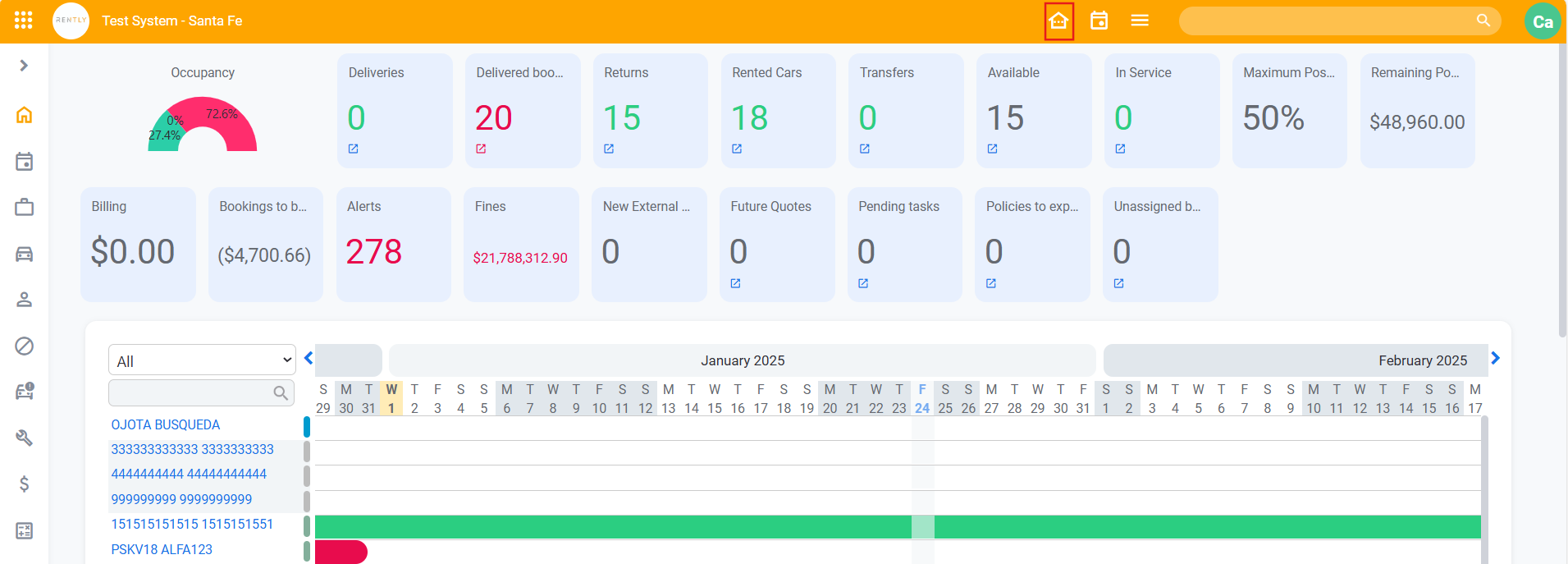
Starting from the Dashboard you will have to select the "Change Current Branch Office"
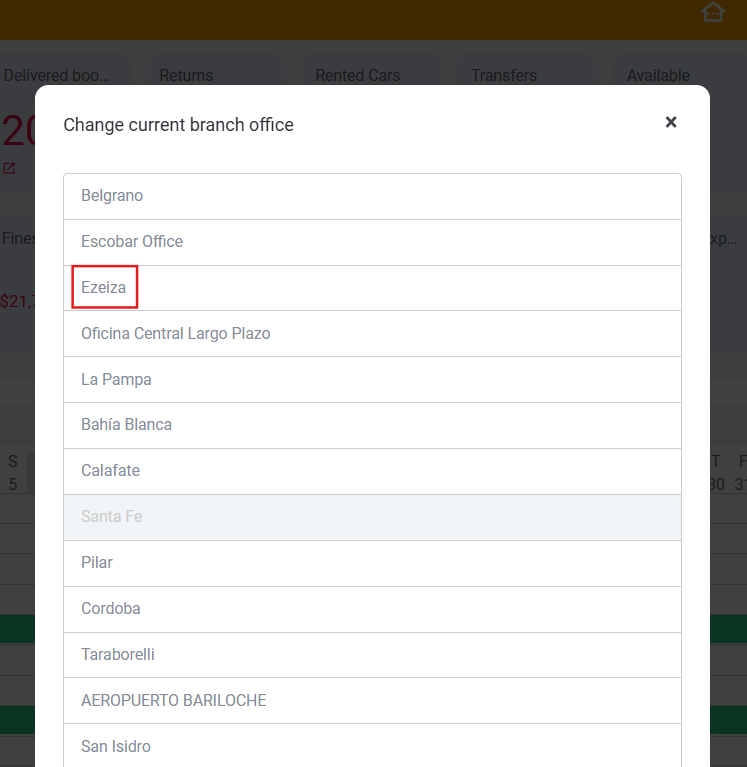
2. Select the Branch Office you need.
Example if you need to change from the actual Branch to "Ezeiza" just click on the one you need.
In case you do not have permission to proceed with this transaction, inform your administrator so he can enable you the "Can manage branch offices " permission.
English
![rently .jpg]](https://help.rentlysoft.com/hs-fs/hubfs/rently%20.jpg?height=40&name=rently%20.jpg)